
6 Best WordPress Ticketing Plugins for Stellar Customer Support in 2024

Support systems often lag behind when questions come in faster than answers can go out. The combination of a busy team, pending tickets, and slow replies frustrate customers who expect quick and smooth assistance from you.
WordPress ticketing plugins can tackle all that. These tools organize your support flow, respond to requests faster, and even handle repetitive questions automatically. So, which one should you choose?
Each plugin here has exceptional features, like AI chatbots, real-time chat, detailed analytics, and easy integrations, just to help you create standout support. However, for us, Hive Support is the best WordPress ticket system plugin of them all.
But don’t take our word for granted. We have tested and tried other popular options like Zendesk, Fluent Support, ThriveDesk, and a few more. Hope you find the best WordPress ticketing plugin of your choice below:
Table of Contents
Why Choose Hive Support As Your WordPress Ticketing Plugin
Hive Support literally turns any old WordPress setup into something elegant. Whether it’s managing tickets with precision, engaging in real-time chat, or deploying a chatbot powered by AI to handle round-the-clock inquiries, Hive Support is all you need.
Why Hive Support As Your Ticketing Plugin?
- Swift Efficiency: Unlimited tickets. Custom filters. A design so intuitive, it feels like the future of ticketing.
- Smart Automation: Let the AI chatbot take over repetitive queries, integrated with ChatGPT for deeper learning.
- Connected Everywhere: Link directly with platforms like WhatsApp, Slack, and WooCommerce. You can finally be everywhere your customers are.
- Insights That Matter: Analyze agent performance, optimize workflows, and shorten response times.
Hive Support isn’t just another tool, it’s an entire toolkit. Simplify the process of customer care with a plugin that adapts, responds, and shines. Hive Support is already there and waiting for you!
Comparison Table: Choosing the Right Plugin for Your Needs
Don’t have enough time to check everything? We’ve got you covered. Just go through this table and find yours. And if you are confused, the choosing guide should help you too.
| Feature | Hive Support | Fluent Support | ThriveDesk | KB Support | Awesome Support | SupportCandy |
| AI-Powered Chatbot | ✅(Chat GPT, 24/7) | ✅ | ❌ | ❌ | ❌ | ❌ |
| Live Chat | ✅ | ❌ | ✅ | ❌ | ❌ | ❌ |
| Ticket Management (Unlimited) | ✅ (Unlimited) | ✅ (Multi-Channel) | ✅ | ✅ | ✅ | ✅ |
| Multi-Channel Support | ✅ (Slack, WhatsApp, Telegram, etc.) | ✅ | ✅ | ❌ | ❌ | ✅ |
| Reporting & Insights | ✅ (Agent Performance, Ticket Reports) | ✅ (In-depth Reporting) | ✅ (Basic) | ✅ (Basic Reports) | ✅ | ✅ |
| Knowledge Base | ✅ (Integrates with Support Articles) | ❌ | ✅ (Basic) | ✅ (Integrated) | ✅ | ✅ |
| Integrations (WooCommerce, CRM, etc.) | ✅ (Slack, WhatsApp, WooCommerce, CRM) | ✅ | ✅ | ✅ (WooCommerce, E-Commerce) | ✅ | ✅ |
| Security Features | ✅ (Privacy-Focused) | ✅ (Basic) | ❌ | ✅ (Basic Security) | ✅ | ❌ |
| Ease of Use | ✅ (User-Friendly, Minimal Setup) | ❌ (Can be complex for bigger teams) | ✅ | ✅ | ✅ (Requires Setup) | ✅ |
Top 6 WordPress Ticketing Plugins
From the all-around champion “Hive Support” to niche-focused tools like Fluent Support and Zendesk for WordPress, these plugins offer solutions to fit a range of needs.
Let’s dive into the details and find the perfect match for your business:
1. Hive Support: Best Overall

Hive Support is more than just a ready-to-go plugin. Aimed at WordPress users, it mixes live chat with smart automation, putting AI in the driver’s seat. If you need to handle a growing tide of inquiries, Hive Support keeps everything organized.
Now with a dash of AI, powered by ChatGPT, the system’s able to think fast, all while answering questions instantly. It’s here to save time, but it never feels robotic.
Key Features of Hive Support
Ticket Management System (Unlimited Tickets, Infinite Agents, etc)
Managing tickets becomes super easy. You get unlimited tickets and multi-agent support — all tagged, filtered, and prioritized in ways that suit you. The ticket system is your starting point, a simple framework that grows as you do.
Why does it matter? Turns out that scaling support is no longer a headache for you.
Smart AI-Based Chatbot
Here, ChatGPT’s AI works around the clock, offering 24/7 support to your customers. It doesn’t sleep, but it knows how to talk. It trains itself to respond intelligently to frequent queries. Your manual input is sure to reduce with Hive Support.
Live Chat (Pro)
Enable real-time conversations and create deeper connections. A to Z customizable, the chat window shapes itself into whatever fits your site best. You’re no longer relying on automated systems that confuse, live chat is human-like, but faster.
Agent Activity Tracking (Free)
Think of it like a dashboard for your agents. Hive Support shows you their performance, the volume of tickets they’ve managed, and their response times. It’s about measuring, adjusting, and improving.
Automation Triggers (Pro)
You can automate the small stuff like responses, workflows, and even ticket routing. Set it up once, and the plugin handles repetitive tasks. No more copying and pasting. Your team will have enough time to work on other stuff, while your customers get faster responses.
Pros:
- AI Chatbot with 24/7 support, always ready to help.
- Minimal waiting time for replies.
- Adapt it to fit your style (Widgets, Ticket Fields, Etc.)
- Syncs seamlessly with Slack, WhatsApp, Telegram, and more.
- Privacy-focused, keeping your data safe.
Drawbacks
- Like most other ticketing plugins here, you would need the pro version. Afterward, you can access the AI chatbots and live chat.
2. Fluent Support: Best For Managing Multi-Channel Support Tickets
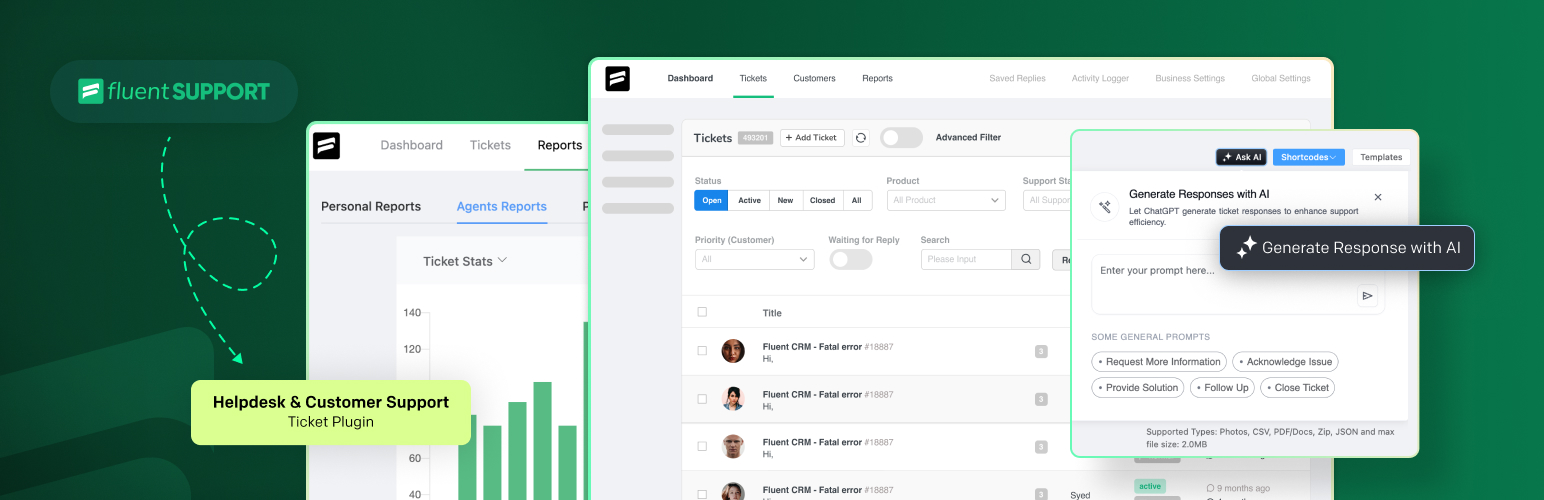
Fluent Support is another plugin that effortlessly consolidates your multi-channel customer queries. Starting from emails, contact forms, or external platforms, the plugin puts everything into one dynamic dashboard.
Here’s why it’s one of the best WordPress support ticket plugins for managing multi-channel:
Key Features of Fluent Support
Multi-Channel Ticket Collection
All those diverse requests? Emails, contact forms, and external sites, all pour into one place. You don’t need to jump between tabs or systems, just one interface where everything aligns.
Fast, Filtered, and Flexible Ticket Management
This plugin lets you categorize, prioritize, and sort tickets with ease. Fluent Support’s filters the urgent ones to rise to the top, leaving no important ticket behind.
Reporting That Speaks to You
You’ll see exactly where to adjust, tweak, and make improvements for smoother operations.
Smooth Integrations with E-Commerce & Membership Platforms
If you’re running a WooCommerce store or have memberships, Fluent Support integrates without hiccups. Customer details, order histories, and membership statuses are right in front of you, making every support interaction more personalized and efficient.
Pros
- Consolidates all support channels into one seamless interface.
- Prioritize and sort tickets quickly for improved response times.
- Provides in-depth performance insights for better decision-making.
- AI-Enhanced Responses (Pro Version)
- Syncs with WooCommerce, EDD, and membership plugins for personalized support.
Cons
- Fluent Support is a bit more technical than Hive Support. It can be a bit complex to set up and manage for bigger teams.
3. ThriveDesk: Best for Small Businesses
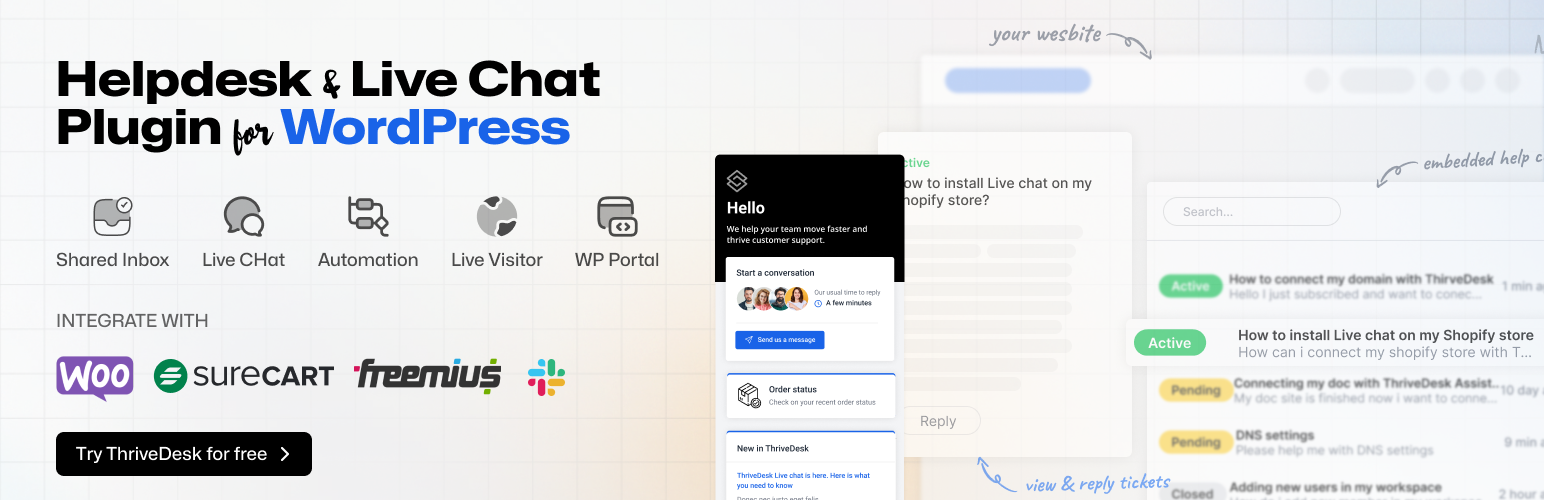
ThriveDesk shines as a go-to support tool for small businesses seeking a balance between affordability and efficiency. Though it’s not the best customer support ticket WordPress plugin for us, you will still like it. By bundling key support functions into a single platform, it lets companies focus on assisting customers without unnecessary fuss.
Key Features of ThriveDesk
Central Inbox For Everything
All your customer messages from different places like email, chat, and forms arrive in one neat spot. From here you can assign, reply, and track conversations effortlessly.
Live Chat that Clicks
You will have a live chat option sits on your website, ready to connect visitors with your team in seconds. It’s great for pre-sale questions or handling those “quick checks.”
Build a Knowledge Base Quickly
If you’ve got FAQs, ThriveDesk can turn them into a sleek self-help guide your customers can browse. Less typing for you, faster answers for them.
Low Cost, Big Value
Its pro plan pricing won’t break the bank, but it still packs a punch with features designed to grow your business. The free WordPress support ticket plugin of ThriveDesk should work for most people.
Pros
- Getting started with it is really simple.
- Collaboration feels natural, with ticket assignments and status updates built-in.
- Works with multiple tools like chat, email, etc.
- Priced quite decent for small teams.
Cons
- The plugin does need a bit more effort for mobile-first users.
4. KB Support: Best For Simplicity

If you want nothing fancy to work with, KB Support is the way to go. It’s not just another helpdesk tool, it’s a fresh take on how customer support should feel. Plug it in, and you get seamless ticketing, and a smooth, simple interface.
Key Features of KB Support
Guest Tickets, No Strings Attached
Guest submissions are like an open door for anyone who needs help. No need to sign up or create an account, just submit and move on.
A Knowledge Base That Does More
With KB Support’s knowledge base, your customers get the information they need when they need it, even before they open a ticket. Less work for you, more power for your customers.
Agent Management, But Smoother
Think you’ve seen ticket assignments before? Think again. With KB Support, tickets are assigned automatically, and it’s based on agent availability or workload.
Customer Portal that Just Works
The customer portal feels like an easy-to-navigate dashboard where customers can peek at all their past tickets, fire off replies, or create fresh ones. And for organizations with several users, it allows shared access. It’s that simple.
Pros
- There’s no learning curve
- No barriers to account creation
- Directs customers to helpful content before they even think of submitting a ticket
- Plenty of features in the free version
Cons
- Not for businesses with needs like advanced search functionality or multi-level categorization.
5. Awesome Support: Best for Security in Support Interactions
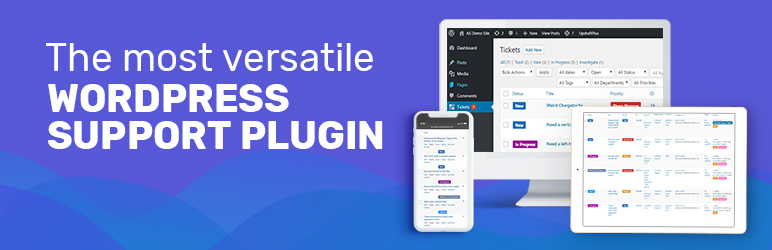
What truly makes Awesome Support stand out is its constant pursuit of security, i.e. keeping your data safe, every click, every ticket. It has a web of features designed not only to organize support tickets but to shield your customers from prying eyes.
Key Features of Awesome Support
Roles And Permissions That Matter
If you want to control who sees what, Awesome Support’s role-based access control is the key. Assigning roles to agents doesn’t just mean they answer tickets. So, you’re in charge of what they can touch, read, or even alter.
Credentials in the Right Hands
When a customer needs to reveal their password, they do it within the ticket system, and only the right set of eyes can uncover it. No hacker, no unauthorized glance.
GDPR-Compliant, Smooth, and Clear
This plugin doesn’t just play nice with the GDPR. It ensures that data privacy isn’t just a box to tick off. You can process personal information with confidence, knowing you’re on the right side of the law.
Track What Happens, When It Happens
The audit log is where history is stored. The good, the bad, the questionable, all logged for your eyes only. Every change, every update, marked down in time, letting you review who did what, when, and why.
Pros
- Designed purely to safeguard data. No hole is left unpatched.
- Effortless to stay on top of regulations
- Super safe file-sharing option
- The audit log gives you access to everything that was happening
Cons
- Setting up security features requires time and attention.
6. SupportCandy: Best For Multi-language Support

What if your customers don’t speak English that great? Support can help you out. Its ability to adapt to multiple languages makes it a versatile choice for businesses spread across the globe.
Key Features of SupportCandy
Supports Most Major Languages, Everywhere
With SupportCandy, you’re not just tied to one language, you’re practically surrounded by 20+ language options. So, whether you’re in Paris or São Paulo, the plugin molds itself to your audience.
Scalability Without Boundaries
There’s no limit here, not for tickets, agents, or customers. It’s like the system breathes and expands with your business, all the while remaining adaptable to various languages.
Customization that Twists and Turns
Modify ticket fields, add or remove roles, and design a dashboard that suits your exact needs. You can enable a tailored experience for each agent and customer.
Workflows, Automated but Never the Same
With automated assignments, triggers, and actions, SupportCandy can place tickets in the hands of agents, no matter the language preference. It’s smooth, it’s efficient, and it always keeps things fresh.
Pros
- 20+ languages supported, with seamless translation plugin compatibility
- No restrictions on tickets, customers, or agents
- Works flawlessly with WooCommerce and other tools, all in multiple languages.
- Provides fresh, evolving insights with each use.
Cons
- For niche languages, you will need third-party plugins. And the translations may not always be correct.
How to Choose the Best WordPress Ticketing Plugin
When searching for a WordPress ticketing plugin, you want something that clicks. It’s all about how you want to engage with customers and streamline your support. Here’s a quick guide to cut through the noise.
Know What You Need
Are you running a small shop or managing a bustling support team? The scale matters. Sometimes, you will need the best WordPress ticketing system for support teams to get your business running. It’s all about flexibility and speed, while sometimes you need deep integrations and automation.
Channels That You Need
Know where your customers can reach you. Is it Email, live chat, or just Social? Choose plugins with multichannel support to handle everything from ticket forms to social media.
Assistance with AI Power
Yes, you can get AI to help with your ticketing. The AI can answer questions for you with automated responses, chatbots, and summarizing inquiries.
Reports for Insights
Want to know how well your agents are doing? Check the reports. Get a plugin that provides performance data and ticket analytics to keep you on track. (Our top choice is Hive Support)
Keep it Simple
No one has time for clunky interfaces. Always go for something that’s super smooth with a fast, easy setup.
Scaling up & Pricing
As you grow, your plugin should too. In the case of regular ticketing plugins you do spend less, but in the long run, you need to spend more. Things won’t add up for you at first. So, you may need to go for a better plan.
Do you know which plugin checks all the marks? It’s Hive Support 👇
How to Set Up a WordPress Ticketing System (General Guidance)
To set up a WordPress ticketing system, install Hive Support, and then configure your settings. You will need to integrate payment gateways and customize forms to capture needed details. Keep testing, refining, and always adapting to your business needs.
If you want to know more about it, we have a detailed installation guide on how to set up Hive Support.
Frequently Asked Questions (FAQs)
Does WordPress have a built-in ticketing system?
No, WordPress doesn’t have a built-in ticketing system. You’ll need to install a plugin to add ticketing functionality to your site. You can search for Hive Support and work with the best ticketing plugin for WordPress.
How do I create a ticket in WordPress?
Install a plugin, like Hive Support, and you can add tickets manually or let users submit them through a form. It’s a simple method really. Everything is present in the dashboard.
What is the best free WordPress ticketing plugin?
Hive Support is a top choice for its free version, offering core features like ticket management and reporting.
How do I integrate a ticketing system with WooCommerce?
WooCommerce is just WordPress but for E-Commerce websites. So, to integrate a ticketing system, install Hive Support, and sync it with WooCommerce for handling customer tickets directly from orders.
What are the different types of WordPress ticketing plugins?
There are different types of ticketing plugins. For example, support-focused plugins (e.g. Hive Support), event ticketing plugins, and WooCommerce integration plugins (WooCommerce Helpdesk). Each serves a unique purpose.
Final Note
Selecting the best ticket plugin for WordPress isn’t always easy. Remember, the key is blending a smooth integration with the heart of your site. When features come rushing toward you, it’s easy to be swept away.
Look for a plugin that fits, not just in functionality, but in ease of use. A user-friendly interface and mobile-ready design are also a must.
Consider the payment gateways it supports, as they’ll be your ticket to smooth transactions. Pricing varies widely, so test before you settle. A plugin might feel like a perfect match but don’t overlook ongoing support. A responsive team can make or break your choice.
0 thoughts on “6 Best WordPress Ticketing Plugins for Stellar Customer Support in 2024”